
Create and Manage Support Tickets Your Way
Efficient ticket creation is the foundation of an organized help desk and customer support system. OutputDesk makes it easy for customers, employees, and support teams to create and manage support tickets using flexible ticket creation methods.
With OutputDesk Help Desk Software, organizations can create tickets through Email and Internal Ticketing, helping teams centralize support requests, assign tickets to the right agents, and track every issue from creation to resolution.
Whether you are managing customer support, IT service requests, employee issues, or internal business queries, OutputDesk keeps every support request organized in one centralized ticketing system.
Two Ways to Create Tickets in Output Desk
OutputDesk provides two convenient ticket creation modes to suit different support workflows:
1. Email-Based Ticket Creation
Email is one of the most common ways customers and employees contact a support team. OutputDesk automatically converts incoming support emails into tickets, allowing your team to manage email conversations directly from the help desk.
Instead of managing support requests across multiple email inboxes, your team can bring them into a centralized ticketing system.
Key benefits of email ticket creation:
- Automatically convert incoming emails into support tickets
- Manage multiple email accounts from one help desk
- Keep complete email conversations within the ticket
- Assign tickets to specific departments or support agents
- Track ticket status and responses
- Prioritize and organize customer requests
- Maintain a complete customer communication history
- Respond to customers directly from the ticketing system
This helps support teams turn everyday customer emails into structured, trackable support tickets.
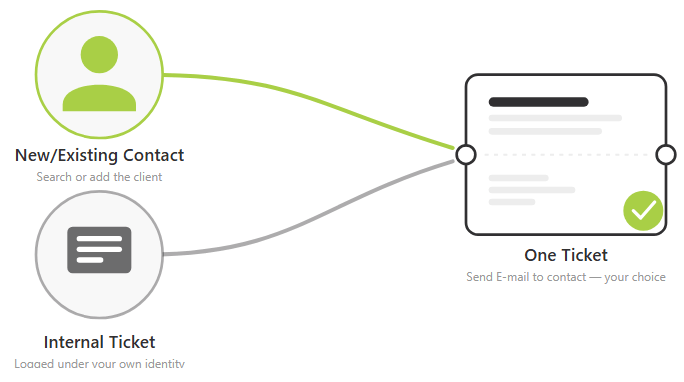
2. Internal Ticket Creation
Internal ticketing is designed for organizations that need to manage employee requests, IT issues, HR queries, administration requests, and other internal support activities.
Employees can raise support requests internally, while administrators and support teams can assign, manage, prioritize, and resolve those tickets from a centralized help desk.
OutputDesk can also work with internal communication workflows, helping employees and support teams manage requests without relying on separate systems.
Key benefits of internal ticket creation:
- Create tickets for internal employee requests
- Manage IT support and service desk requests
- Route tickets to the appropriate department
- Assign tickets to specific support agents
- Track ticket status and resolution progress
- Keep internal communication organized
- Maintain a complete ticket history
- Improve response and resolution workflows
Centralize Support Requests
Manage support requests from email, live chat, web forms, and internal workflows in one centralized help desk. OutputDesk helps your team handle customer and employee requests without switching between multiple applications.
Organize Tickets by Team
Assign tickets to the right department or support agent for faster resolution. Organize requests by teams such as IT, HR, Sales, Customer Support, and Technical Support, while using tags for easy filtering.
Track Every Ticket
Follow each ticket from creation to resolution. OutputDesk lets teams assign tickets, add internal notes, manage conversations, use tags, merge tickets, and track ticket status from one place.
Turn Website Requests into Tickets
Capture customer queries directly from your website using OutputDesk Contact/Web Forms. Submitted forms can automatically create support tickets, keeping website inquiries connected to your help desk workflow.
Manage Support in One Place
Bring customer conversations and support requests together in a centralized ticketing system. Your team can manage assignments, collaborate internally, track progress, and maintain complete ticket history.
Start Your Free Trial